Per-process traffic
Connect TCP, UDP, and QUIC activity to the application or process responsible for it.
Windows network observer
AppWatch connects live network activity to the Windows applications that created it—without losing sight of TCP, UDP, QUIC, or optional HTTP(S) details.
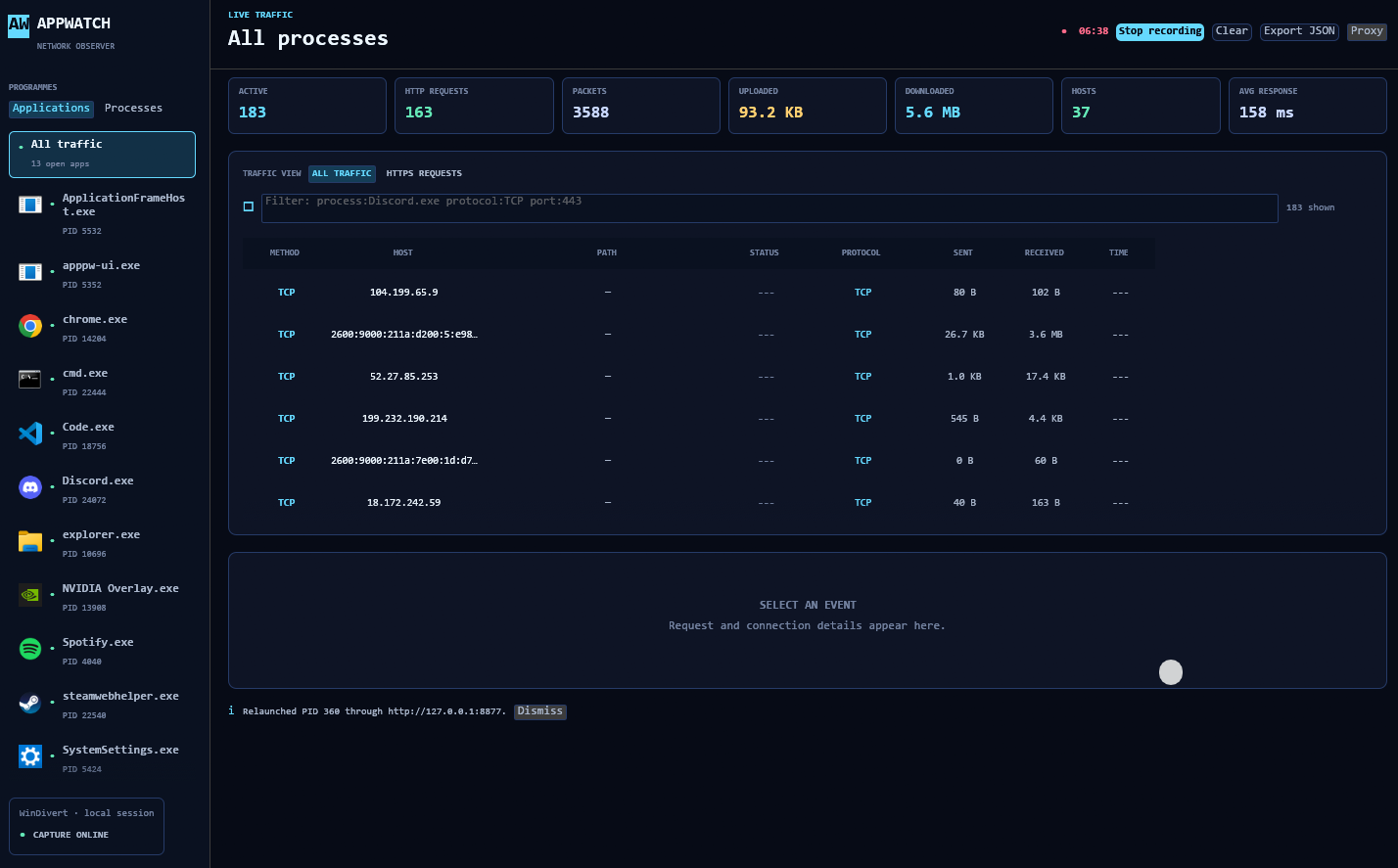
Packet capture, process attribution, and request inspection in one compact desktop tool.
Connect TCP, UDP, and QUIC activity to the application or process responsible for it.
Follow active connections, packet counts, and upload and download usage as they change.
Optionally relaunch supported applications through the local proxy to inspect requests and responses.
Keep observed traffic history in SQLite for later review without requiring a remote service.
WinDivert captures network traffic and AppWatch maps packets back to running processes. HTTP(S) inspection uses a separate local proxy and only applies to applications launched through it.
HTTP(S) inspection is optional; packet monitoring works without routing applications through the proxy.
Enable TCP, UDP, and QUIC packet capture.
Follow its connections and live transfer activity.
Use Proxy > Trust HTTPS certificate... for HTTPS inspection.
Route the target through 127.0.0.1:8877 to inspect requests.
AppWatch targets Windows 10 and 11. Packet capture needs administrator privileges; Rust is only needed when building the project yourself.
When relaunching an application, AppWatch looks for Chromium, Electron, CEF, Qt WebEngine, and WebView2 runtimes. It applies the appropriate proxy flags when recognised, but detection is best-effort because applications package these runtimes differently.
HTTP/3 and QUIC payloads cannot currently be decrypted. HTTPS inspection only covers applications using the proxy, and some applications may ignore its configuration. Other protocols remain visible at network level, but their payloads are not decoded.
Clone the repository and build the release workspace with Cargo.
git clone https://github.com/bivorzk/AppProcessWatcher.git
cd AppProcessWatcher
cargo build --release
cargo run --release -p apppw-ui
Current release · v0.2
Get the newest Windows build and release notes directly from GitHub.